Make your first colorway
Choose an outline, fill the panels, check the other views and save a project you can reopen.
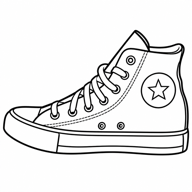 KICKS
Footwear design studio
Hand: reshape a line. Four arrows: move the whole part.
Fill mode: choose a color or pattern, then click inside an outline.
Click a shoe design to start
Use Kicks to explore panel colors, patterns and artwork across your shoe's views. Start from an outline or import your own photos, then save an editable project and export a visual concept for discussion with a footwear developer.
Choose an outline, fill the panels, check the other views and save a project you can reopen.
Select a design, add colours or patterns, check four views and export your work.
Get consistent outside, inside, top and back views, and learn what makes an outline easier to color.
Choose the right export and identify the technical details that still need to be developed.
Yes. Use Save file to download an editable .kicks project and Open file to restore it. An account adds saved designs and photo sets you can open on another device.
It is a visual concept sheet. A developer still needs to resolve fit, patterns, dimensions, materials, construction and testing. Review a physical sample before approving production.
Material labels record design intentions. Display colors and named palette references are not certified physical matches. Confirm the actual material and color against appropriate swatches and samples.
Essential storage keeps sign-in and your designs working. Optional Google Analytics helps us understand how the site is used. It stays off unless you allow it. Read about cookies.
Add one photo or several views to make a colorable shoe set. HEIC, HEIF, JPEG and PNG are supported. Put the whole shoe in the frame on a plain background with good light. Your photos stay on your device: only the finished outlines are kept.